
Scenario Recording
Scenarios allow you to record sequences of related HTTP requests and replay them as a group. This is useful for testing, documentation, and AI-assisted test generation.
What is a Scenario?
A scenario is a named collection of HTTP requests that represent a user flow or API interaction sequence. For example:
- User Login Flow: Navigate → Login → Get Profile → Fetch Dashboard
- E-commerce Checkout: Add to Cart → Update Quantity → Checkout → Payment
- API Integration: Authenticate → Create Resource → Update → Delete
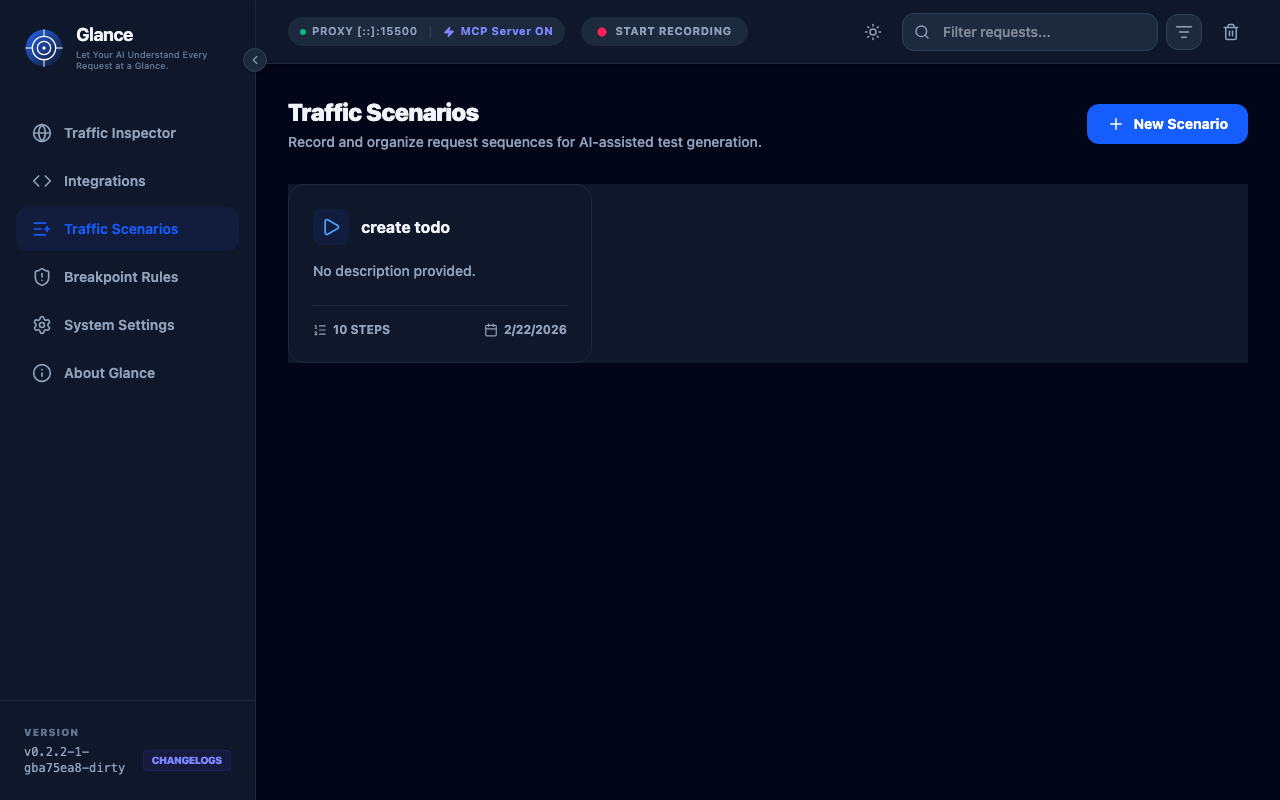
Creating Scenarios
Method 1: Manual Selection
- Go to the Traffic tab
- Select requests you want to include
- Click "Add to Scenario"
- Choose existing scenario or create new one
Method 2: Recording Mode
- Go to the Scenarios tab
- Click "Start Recording"
- All subsequent traffic is automatically added to the scenario
- Click "Stop Recording" when done
Method 3: Via MCP
Ask an AI agent:
Create a scenario from the last 5 requests named "User Login Flow"Scenario Details
Each scenario includes:
Basic Information
- Name: Descriptive name
- Description: Optional detailed description
- Created: Timestamp when scenario was created
- Last Modified: Timestamp of last update
Request Steps
Each step shows:
- Order: Step number in sequence
- Method: HTTP method
- URL: Full request URL
- Status: Response status code
- Duration: Request time
You can:
- Reorder steps by dragging
- Edit individual steps
- Remove steps
- Add notes to steps
Variable Mappings
Define how data flows between requests:
{
  "mappings": [
    {
      "from": "step_1.response.body.token",
      "to": "step_2.request.headers.Authorization",
      "transform": "Bearer {{value}}"
    }
  ]
}
This extracts the token from step 1's response and injects it as the Authorization header in step 2.
Variable Mapping
Variable mapping helps AI understand request dependencies.
Supported Mappings
Extract from Response:
response.body.path.to.value- JSON path in bodyresponse.headers.Header-Name- Response headerresponse.status- Status code
Inject into Request:
request.headers.Header-Name- Request headerrequest.body.path.to.value- JSON path in bodyrequest.query.param- Query parameter
Example: OAuth Flow
{
  "name": "OAuth Login",
  "steps": [
    {
      "name": "Get Auth Code",
      "url": "https://auth.example.com/authorize"
    },
    {
      "name": "Exchange for Token",
      "url": "https://auth.example.com/token"
    },
    {
      "name": "Fetch User Profile",
      "url": "https://api.example.com/me"
    }
  ],
  "mappings": [
    {
      "from": "step_1.response.body.code",
      "to": "step_2.request.body.code"
    },
    {
      "from": "step_2.response.body.access_token",
      "to": "step_3.request.headers.Authorization",
      "transform": "Bearer {{value}}"
    }
  ]
}
AI-Powered Test Generation
Use MCP to generate test code from scenarios. This feature allows you to transform recorded scenarios into automated test scripts using AI agents.
Playwright Example
Ask Claude:
Generate a Playwright test from the "User Login" scenarioResult:
import { test, expect } from '@playwright/test';

test('User Login Flow', async ({ page }) => {
  // Step 1: Navigate to login page
  await page.goto('https://example.com/login');

  // Step 2: Submit login form
  await page.fill('#username', 'user@example.com');
  await page.fill('#password', 'password123');
  await page.click('button[type="submit"]');

  // Step 3: Verify profile loaded
  await expect(page.locator('.profile')).toBeVisible();
});
Other Test Frameworks
Supports generation for:
- Jest - JavaScript unit tests
- Cypress - End-to-end tests
- Postman - API test collections
- REST Client - VS Code HTTP files
- cURL - Shell scripts
Exporting Scenarios
You can export scenarios as JSON for backup or sharing.
JSON
{
  "name": "User Login",
  "description": "Complete user authentication flow",
  "steps": [...]
}Note: For OpenAPI or Documentation formats, use the MCP Integration to ask an AI agent to generate them from your recorded scenarios.
Best Practices
Naming
Use descriptive names that explain the flow:
- ✅ "E-commerce Checkout - Guest User"
- ✅ "API Integration - Create and Update Product"
- ❌ "Test 1"
Scope
Keep scenarios focused:
- One business flow per scenario
- Typically 3-10 steps
- Related requests only
Variable Mapping
Document dependencies:
- Add notes explaining why mapping exists
- Use clear variable names
- Validate mapped values
Maintenance
Keep scenarios up to date:
- Update when API changes
- Remove obsolete scenarios
- Verify regularly
MCP Integration
AI agents can work with scenarios:
List scenarios:
Show me all recorded scenariosGet details:
Show me the steps in the "User Login" scenarioGenerate tests:
Create a Cypress test from the checkout scenarioUpdate scenarios:
Add the last request to the "User Login" scenarioUse Cases
API Documentation
Record API flows and generate docs:
- Record scenario covering all endpoints
- Add descriptions to steps
- Export as OpenAPI
- Publish documentation
Integration Testing
Create test suites:
- Record happy path
- Record error cases
- Generate test code
- Run in CI/CD
Debugging
Reproduce issues:
- Record scenario when bug occurs
- Share with team
- Replay to reproduce
- Fix and verify
Onboarding
Document workflows:
- Record common flows
- Add detailed notes
- Export as guides
- Help new team members
Next Steps
- MCP Integration - Use AI to generate tests
- API Reference - Programmatic scenario management
- Development Guide - Contribute scenario features